You verified your prospect list before launching an email campaign. The addresses were marked as valid, and everything looked ready for outreach.
Then the bounce notifications started arriving.
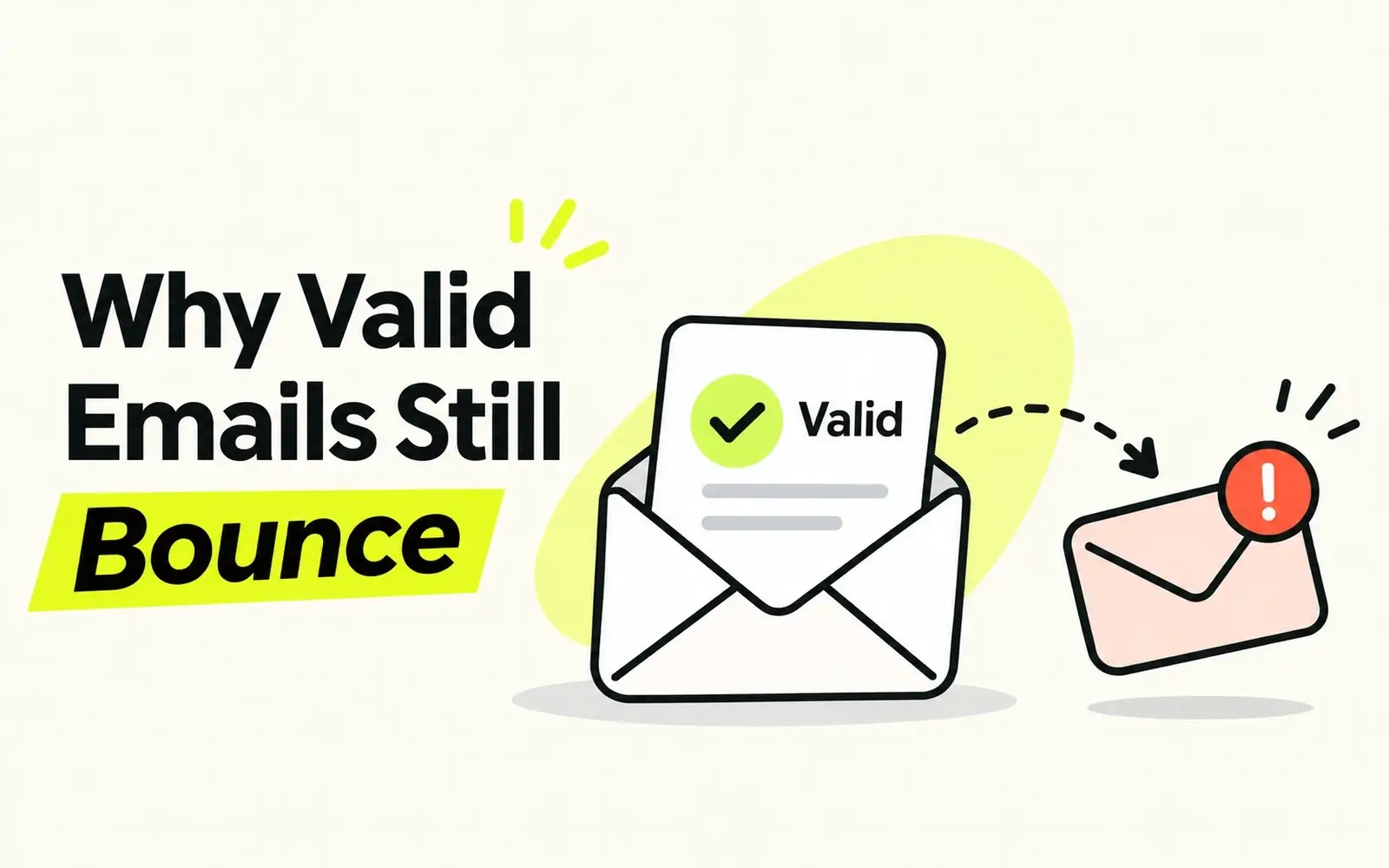
Why do valid emails still bounce?
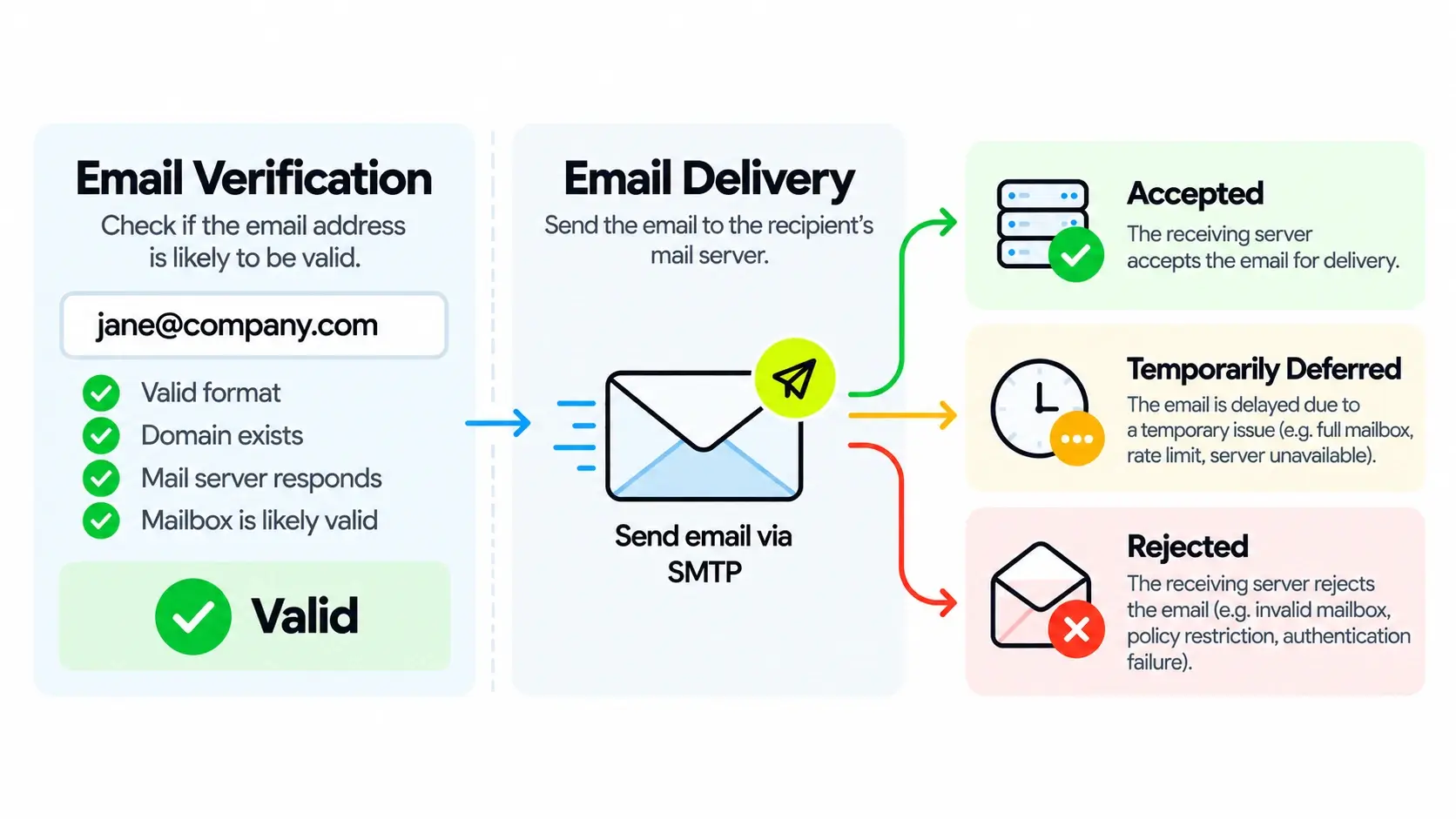
Because email verification and email delivery are not the same thing. Verification evaluates whether an email address is likely to be valid at the time of checking. Actual delivery also depends on the recipient's mailbox, receiving server, sender reputation, authentication, and security policies.
Even a correctly verified address can become inactive or encounter delivery restrictions.
This guide explains 10 common reasons verified emails bounce, how to diagnose delivery failures, and how B2B sales teams can reduce unnecessary bounces.
Key Takeaways
Valid doesn't guarantee delivery. Email verification reduces uncertainty but cannot control every condition affecting message delivery.
Hard and soft bounces are different. Some failures are permanent, while others are temporary.
Not every bounce indicates bad contact data. Authentication failures, sender reputation, and server restrictions can prevent delivery to legitimate mailboxes.
Email information changes over time. Job changes and mailbox deactivation can make previously valid addresses outdated.
Reliable outreach requires accurate data and responsible sending practices. Both are essential for reducing avoidable bounces.
Can a Valid Email Address Still Bounce?
Yes. A valid email address can bounce even when the verification result was accurate.
The reason becomes clearer when we distinguish three concepts:
- Email validity: Whether an address represents a legitimate, usable email destination.
- Email verification: The process of evaluating an address using available technical and data signals.
- Email deliverability: Whether a message reaches its intended destination, including whether it is accepted and ultimately placed in the inbox rather than rejected or filtered.
Consider an employee whose email address was verified on Monday. On Wednesday, the employee leaves the company and their mailbox is disabled. An email sent on Friday may bounce.
The original verification was not necessarily incorrect. The mailbox changed afterward.
Similarly, an active mailbox may reject messages from a sender with authentication problems or a poor reputation.
A valid email address is not a delivery guarantee. Verification evaluates the address, while successful delivery also depends on conditions at the time of sending.
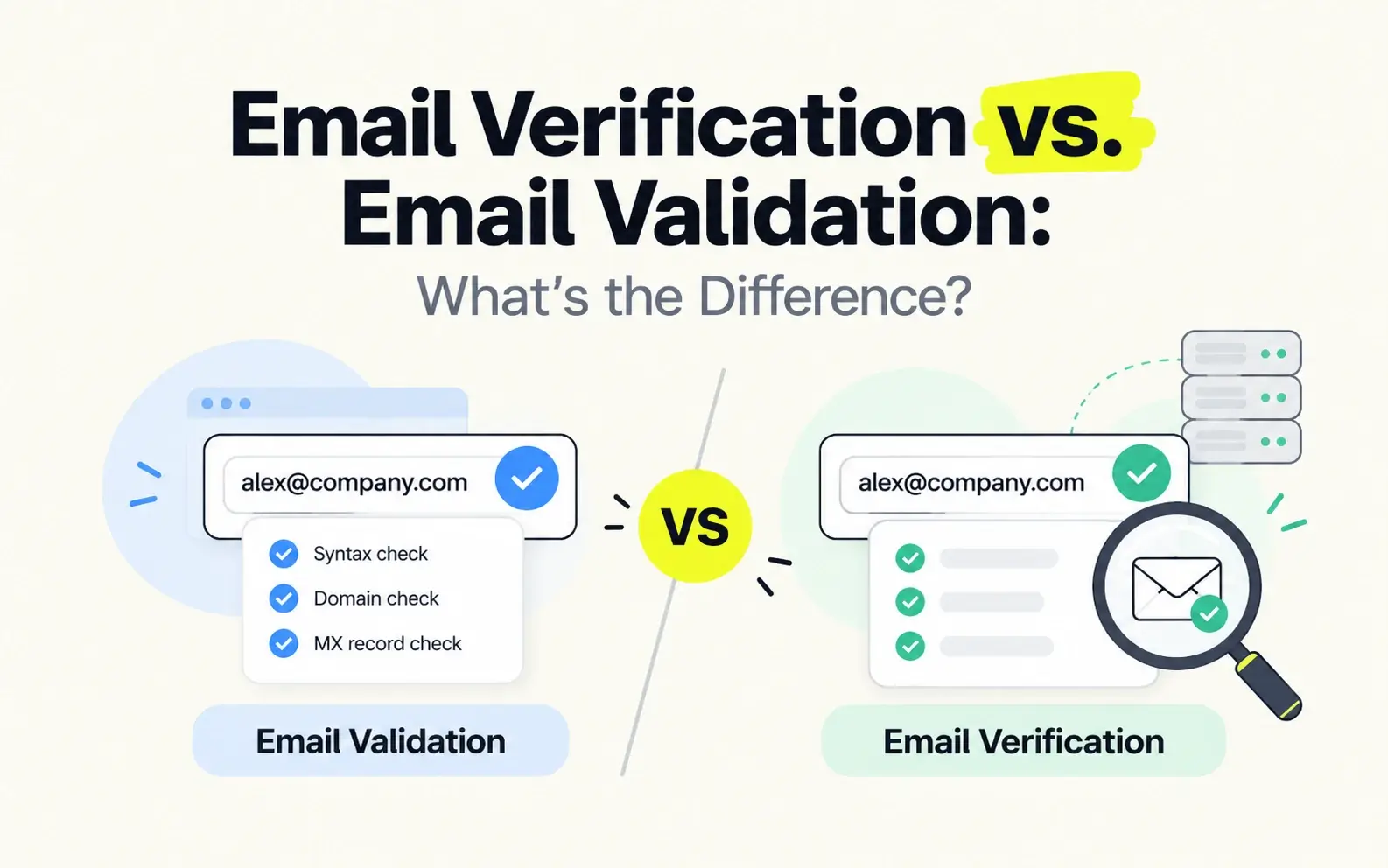
For more background, read Email Verification vs. Email Validation.
Hard Bounce vs. Soft Bounce: What's the Difference?
Before investigating a bounced email, identify whether the failure is permanent or temporary.
A hard bounce generally indicates a permanent delivery failure. Examples include nonexistent mailboxes, disabled accounts, and permanent policy-based rejections.
A soft bounce generally indicates a temporary problem, such as a full mailbox, server outage, or rate limit.
Hard Bounce vs. Soft Bounce
Hard Bounce
Soft Bounce
Meaning
Usually a permanent delivery failure.
Meaning
Usually a temporary delivery failure.
Common Causes
Nonexistent mailbox, disabled account, permanent rejection.
Common Causes
Full mailbox, temporary server failure, rate limiting.
Recommended Action
Investigate the reason and suppress confirmed invalid addresses.
Recommended Action
Review the error and allow appropriate retries.
What It Means for Validity
May indicate invalid contact data, but not always.
What It Means for Validity
Does not necessarily mean the address is invalid.
A hard bounce does not always prove that a mailbox is nonexistent. Some permanent rejections are caused by security or sender policies.
Always review the underlying SMTP response when possible.
10 Common Reasons Valid Emails Still Bounce
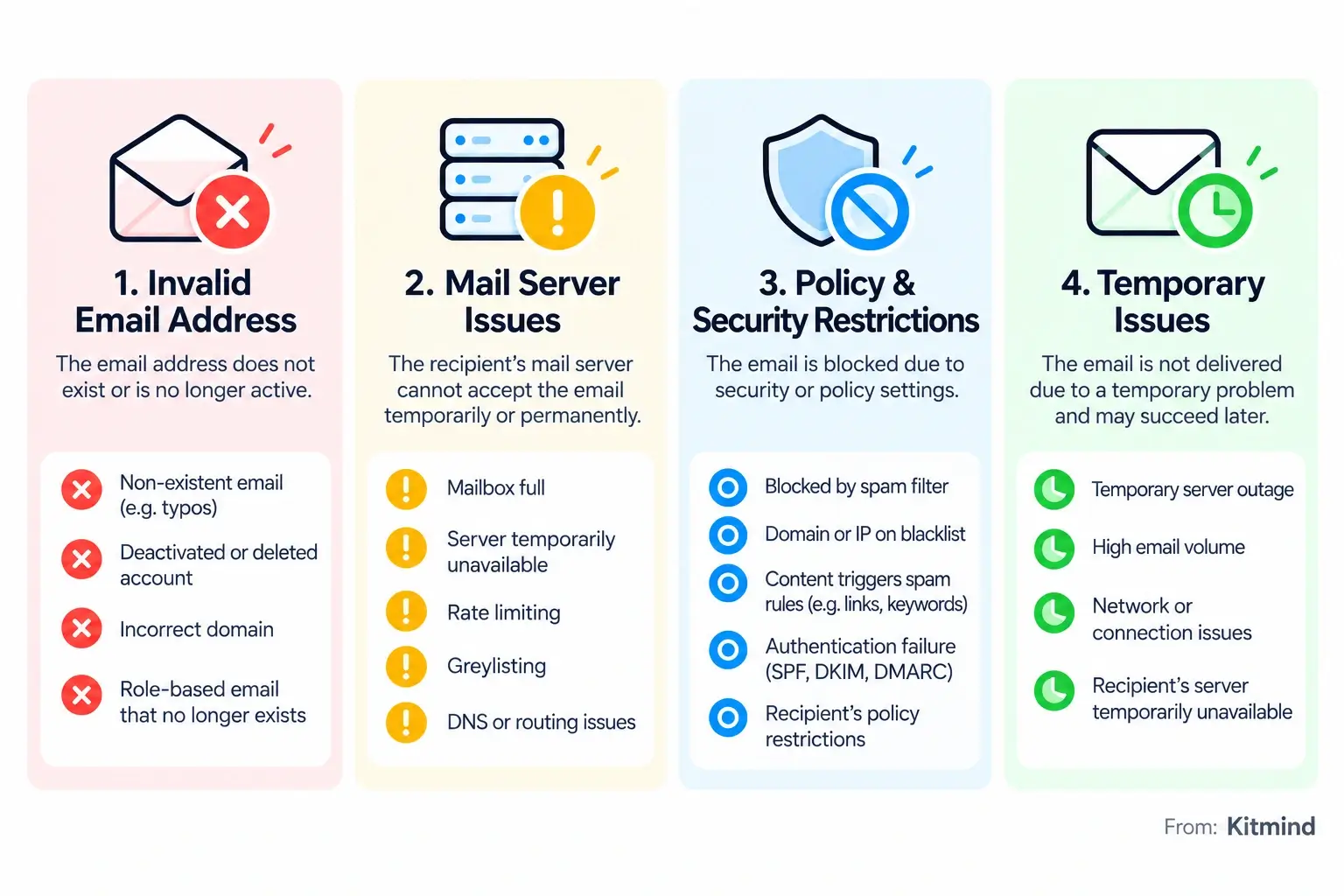
Verified emails can bounce because of mailbox changes, receiving-server conditions, sender configuration, or security restrictions.
Here are 10 common causes and what to do about them.
The Mailbox Was Deleted or Deactivated
Business email addresses often become inactive when employees leave a company or their accounts are disabled.
An address may have been valid during verification but no longer exist when the message is sent.
What to do: Stop sending to confirmed inactive mailboxes. Update the contact record and identify the appropriate current decision-maker.
The Recipient's Mailbox Is Full
An active mailbox may temporarily stop accepting messages after reaching its storage limit.
The address itself is valid, but the receiving system cannot accept additional email under the current conditions.
What to do: Check the bounce notification. If the failure is temporary, follow your sending provider's retry policy instead of immediately removing the address.
The Recipient's Mail Server Is Temporarily Unavailable
Corporate email servers can experience maintenance, network interruptions, outages, or configuration problems.
During these events, messages may be delayed or rejected even when the intended mailbox exists.
What to do: Allow appropriate retries. If multiple recipients at the same company are affected, investigate a possible domain-level or server-level problem.
The Receiving Server Applies Rate Limits or Greylisting
Receiving servers use rate limiting and greylisting to manage traffic and reduce unwanted email.
Rate limiting restricts message volume, while greylisting temporarily defers certain messages and expects legitimate senders to retry.
Neither mechanism necessarily indicates an invalid recipient address.
What to do: Respect temporary deferrals, avoid excessive sending volume, and let your email provider manage appropriate retries.
Your Sending Domain or IP Has a Poor Reputation
Email providers evaluate the trustworthiness of sending domains and IP addresses.
Repeated delivery failures, spam complaints, suspicious sending patterns, or sudden volume increases may negatively affect sender reputation.
A receiving server can reject messages from a poorly regarded sender even when the recipient address is valid.
What to do: Monitor bounce and complaint patterns, maintain relevant targeting, and avoid sending practices that damage reputation.
SPF, DKIM, or DMARC Authentication Fails
Email authentication helps receiving systems evaluate whether a message is authorized and trustworthy.
- SPF identifies servers authorized to send mail for a domain.
- DKIM uses cryptographic signatures to help verify message integrity and signing identity.
- DMARC defines policies for handling messages that fail relevant authentication and alignment checks.
Authentication problems may cause rejection, quarantine, or other filtering outcomes.
What to do: Review SPF, DKIM, and DMARC configuration and investigate authentication-related errors.
Your Email Triggers Spam or Security Filters
Corporate security systems evaluate incoming messages for suspicious links, attachments, content, and sending behavior.
A legitimate mailbox may reject a message that violates its security policies.
Not every filtering decision creates a bounce; some messages are accepted but placed in spam or quarantine.
What to do: Review rejection details, remove unsafe content, and ensure outreach is relevant and appropriately targeted.
The Recipient Organization Blocks External or Unauthorized Senders
Some organizations restrict external messages or only accept email from approved senders.
A valid employee mailbox may therefore reject messages from an unauthorized domain or sender.
What to do: Check the rejection reason. If a legitimate business relationship exists, use an approved communication channel to clarify the restriction.
The Email Address Became Outdated After Verification
Email data changes as companies grow, merge, restructure, or migrate domains.
A contact may still be relevant, but their previous email address may no longer be the correct destination.
Unlike a single mailbox deactivation, this problem reflects the broader challenge of maintaining current contact information.
What to do: Refresh prospect records, review employment changes, and update company and domain information before major campaigns.
A Catch-All Domain Accepts Verification Checks but Rejects Delivery
Catch-all domains create uncertainty for traditional SMTP-based verification.
A catch-all server may accept verification-related requests without confirming whether an individual mailbox actually exists.
As a result, a basic SMTP check may appear successful even though a later message is rejected.
However, catch-all does not mean invalid. Many legitimate business addresses operate behind catch-all configurations.
What to do: Avoid treating SMTP acceptance as proof of mailbox existence. Use reliable contact data and verification methods that evaluate catch-all addresses with additional evidence.
Learn more in AI Catch-All Email Verification.
How to Diagnose an Email Bounce
When a verified email bounces, investigate the specific delivery failure before deciding whether the contact information is wrong.
How to Troubleshoot a Bounced Email
1
Read the Bounce Notification
Find the affected address, SMTP response, enhanced status code, and receiving server's explanation.
2
Identify the Failure Type
Determine whether the error indicates a temporary problem, permanent failure, or policy-based rejection.
3
Check Sender Authentication and Reputation
Review SPF, DKIM, DMARC, sending-domain configuration, and recent delivery patterns when the error points to sender-related issues.
4
Review the Recipient's Information
Check whether the contact still works at the company and whether the mailbox or business domain has changed.
5
Take the Appropriate Action
Suppress confirmed invalid addresses, allow suitable retries for temporary failures, or correct sender-side problems before resending.
SMTP reply codes can provide useful clues:
- 4xx: Generally indicates a temporary failure.
- 5xx: Generally indicates a permanent rejection.
For example, a 550 response may indicate a nonexistent mailbox or a policy-based rejection. A 451 response commonly indicates a temporary processing issue.
The accompanying error message matters more than the three-digit code alone.
How to Reduce Email Bounces in B2B Outreach
Reducing avoidable bounces requires a combination of accurate contact information and responsible sending practices.
Start with Reliable Contact Data
Prioritize current business contacts and verified business email addresses.
Avoid assuming that every publicly discovered or pattern-generated address has been verified.
Keep Prospect Records Updated
Review contact information before important campaigns, especially when records are old or employees may have changed companies.
Accurate professional information helps prevent outreach to outdated mailboxes.
Configure Email Authentication
Ensure that the email services you use are properly authorized through SPF, DKIM, and DMARC.
Correct authentication reduces avoidable sender-related problems, although it does not guarantee inbox placement.
Maintain Responsible Sending Practices
Use relevant targeting, reasonable sending frequency, and clear messaging.
Monitor complaints and delivery failures, respect opt-outs, and avoid repeatedly sending to confirmed invalid addresses.
Investigate Bounce Patterns
If many addresses at one company bounce, investigate its receiving infrastructure or policies.
If unrelated domains reject messages, review your sending configuration and reputation.
If nonexistent-mailbox errors occur repeatedly, examine the freshness and accuracy of your contact data.
The essential principle: Better contact data reduces recipient-related uncertainty. Better sending practices reduce sender-related delivery problems. Neither can replace the other.
How Kitmind Helps You Start with More Accurate Business Emails
Accurate business contact information is an important foundation for reliable B2B outreach.
Kitmind helps teams discover target companies, identify relevant professionals, and access pre-verified business email addresses.
Its email verification intelligence operates within the underlying contact data system rather than as a standalone email-list verification service.
Build Better B2B Prospect Lists with Kitmind
01
Prospector
Find decision-makers using job titles, seniority, departments, locations, and company attributes. Use the Email Status: Verified filter to focus on contacts with verified business email information.
02
Discover
Find relevant companies through keywords and company-level filters, explore employees, and reveal available pre-verified business emails. Discover also provides Public Emails, which should not automatically be treated as individually verified employee addresses.
03
CSV Enrichment
Enhance existing contact records with available professional and company information, including business emails where matching data is available. Results depend on successful matching and data availability.
04
Integrations
Move prospect information into supported CRM and marketing platforms, including HubSpot, Salesforce, Zoho CRM, Pipedrive, and Mailchimp. Available actions and settings vary by integration.
Kitmind provides 98%+ overall business email accuracy, including AI-powered catch-all verification with 98% accuracy.
These are email verification accuracy metrics, not guaranteed email delivery or inbox placement rates.
For B2B teams, the goal is to begin outreach with reliable contact information while continuing to manage sending reputation, authentication, and delivery failures responsibly.
Frequently Asked Questions
Can a verified email address still bounce?
Yes. A verified email can bounce because mailbox conditions, server availability, sender reputation, or security policies may change or affect delivery after verification.
Why does an email bounce if the address exists?
A legitimate mailbox may reject messages because of storage limits, temporary outages, authentication failures, rate limiting, or organizational restrictions.
Does a hard bounce always mean the email address is invalid?
No. A hard bounce usually indicates a permanent delivery failure, but some permanent rejections are caused by sender or security policies rather than a nonexistent mailbox.
Can catch-all emails bounce even after verification?
Yes. Catch-all servers may accept verification-related requests without confirming individual mailbox existence. Advanced verification can reduce uncertainty but cannot guarantee future delivery.
How can I reduce email bounces without losing valuable B2B prospects?
Start with reliable contact data, keep records current, maintain proper authentication and sending practices, and investigate bounce reasons before removing potentially valuable contacts. Stop sending to confirmed invalid addresses.
Conclusion
Valid email addresses can still bounce because successful delivery depends on more than mailbox validity.
Changing contact information, temporary server problems, sender reputation, authentication failures, and security restrictions can all affect the outcome.
Email verification remains valuable because it reduces uncertainty about recipient data. But it works best alongside accurate contact records, responsible sending practices, and systematic bounce analysis.
For B2B sales teams, understanding these differences is the key to reducing avoidable failures and building a more reliable outreach process.