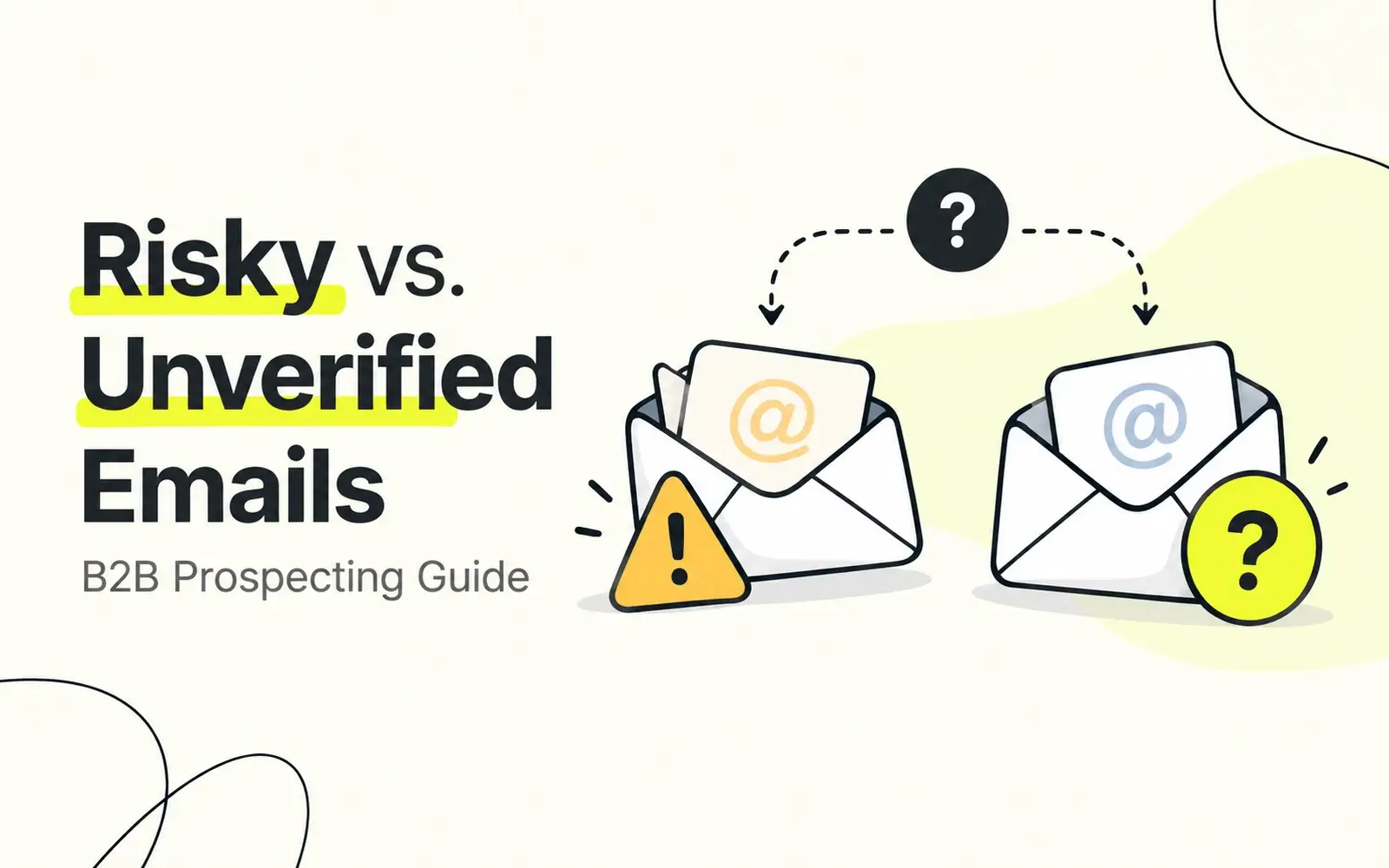
Finding the right decision-maker is only half the challenge in B2B prospecting. You also need a reliable way to reach them.
But what happens when a promising contact's email address is marked Risky or Unverified?
Sending immediately could increase your bounce rate. Discarding every uncertain address could mean losing valuable sales opportunities. And treating all uncertain emails the same way can lead to poor prospecting decisions.
The better approach is to understand what each status means, assess the available evidence, and choose the appropriate next step.
This guide explains the difference between risky and unverified business emails, why these statuses occur, and how to manage them without unnecessarily compromising outreach quality or missing potential customers.
Key Takeaways
Risky and Unverified are different statuses. Risky indicates potential delivery problems, while Unverified means verification has not yet established a result.
Unverified does not mean Invalid. An unverified address may still be valid, but its status should be resolved before routine outreach.
Risky emails are not recommended for sending. Investigate the uncertainty or find a more reliable contact instead.
Verification is not a delivery guarantee. Sender reputation, authentication, and recipient mail policies still influence outcomes.
Better prospecting starts with better data. Prioritize relevant contacts with verified business emails and maintain accurate records over time.
What Are Risky and Unverified Emails?
Email verification systems evaluate whether an address appears capable of receiving messages. However, not every address produces a definitive result.
Some addresses present delivery risks. Others cannot yet be classified because verification is incomplete or inconclusive.
Understanding this distinction helps B2B teams make better decisions about which contacts to pursue.
What Is a Risky Email?
A risky email address is an address associated with uncertainty or an elevated possibility of delivery failure.
Possible contributing factors include catch-all domain behavior, inconsistent server responses, temporary mail restrictions, or other signals that prevent a confident deliverability assessment.
A risky classification does not necessarily prove that a mailbox is nonexistent. It means the address should not be treated as a dependable destination.
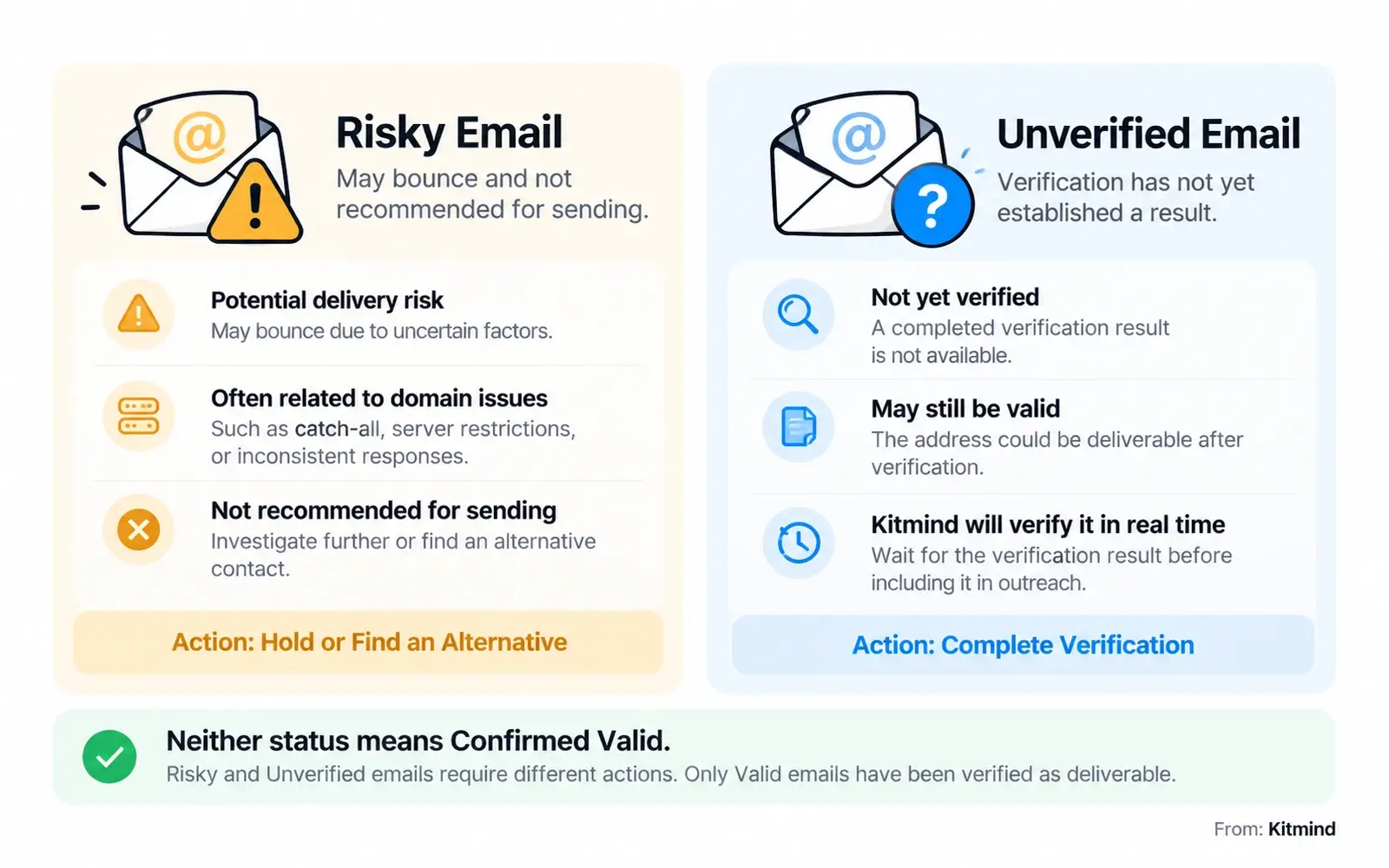
In Kitmind, the guidance for Risky emails is straightforward: sending is not recommended because the email may bounce.
For sales teams, the appropriate response is to investigate further, refresh the contact information, or look for an alternative verified business email.
What Is an Unverified Email?
An unverified email address has not yet received a completed verification result.
This is different from an address that has been checked and determined to be invalid.
For example, a business email may be available in a contact record before a verification process has established whether it is deliverable.
In Kitmind, an Unverified status indicates that the email will be verified in real time.
Until that verification produces a result, teams should avoid treating the address as confirmed valid.
The distinction matters: Unverified describes a verification state, not a definitive delivery outcome.
Risky vs. Unverified: Key Differences
Although both statuses require caution, they communicate different information.
Email Status | What It Means | Recommended Action |
|---|---|---|
Valid | The email has been verified as deliverable. | Consider for outreach using responsible sending practices. |
Unverified | Verification has not yet established a result. | Complete the available verification process before sending. |
Risky | The email may bounce and is not recommended for sending. | Hold outreach, investigate, or find a better contact. |
Invalid | The email has been verified as undeliverable. | Exclude from sending lists. |
The most important difference is the reason for uncertainty.
With an Unverified email, the immediate question is whether verification can establish a reliable status.
With a Risky email, the question is whether the underlying delivery concern can be resolved—or whether another contact would be a safer choice.
Neither status should automatically be treated as equivalent to Valid.
Why Do These Email Statuses Occur?
Business email systems are complex. An address may look legitimate while the receiving infrastructure provides incomplete or uncertain information.
Several factors contribute to risky or unverified classifications.
Catch-All Email Domains
A catch-all domain may accept messages addressed to many different mailbox names, even when a particular mailbox does not exist.
This behavior makes conventional mailbox verification more difficult because an accepting server response does not necessarily confirm the intended recipient.
As explained in our guide to catch-all email addresses, catch-all behavior introduces uncertainty that requires careful interpretation.
Advanced verification methods can improve classification, but a domain's catch-all configuration should never be treated as proof that every address is deliverable.
Temporary Server Restrictions
Receiving servers may temporarily reject verification requests, impose connection limits, or delay responses.
Greylisting, rate limiting, and temporary server availability issues can prevent verification from reaching a definitive conclusion.
These conditions do not necessarily mean the mailbox is invalid.
Our article on business email verification methods explains why technical checks must be interpreted within their limitations.
Incomplete or Outdated Contact Data
Business contact information changes frequently.
Employees change companies, departments reorganize, domains migrate, and organizations retire old mailboxes.
An email address collected months ago may no longer represent the best way to reach a prospect.
Even when an address was previously verified, its status can change. That is why data freshness and periodic reassessment matter.
Should You Send to Risky Emails?
For routine B2B outreach, risky emails should generally be excluded from active sending campaigns.
The possibility of reaching a valuable prospect does not automatically justify introducing avoidable bounce risk.
Repeated delivery failures can affect sender reputation, while poor list quality makes campaign results harder to interpret.
Unverified emails require a different approach: complete verification before deciding whether the address belongs in a campaign.
When to Hold an Address
Hold an address when its verification result remains uncertain, the available data is outdated, or the address has been classified as risky.
A temporary hold gives your team time to reassess the contact without permanently discarding the opportunity.
When to Find Another Contact
If a risky address cannot be resolved, look for another relevant decision-maker at the same company.
For example, if the target company's Head of Sales has no dependable business email, an appropriate Sales Director or Revenue Operations leader may offer another legitimate contact path.
The goal is not simply to maximize the number of email addresses. It is to identify the right people with contact information that supports responsible outreach.
Why Verified Emails Can Still Bounce
Even a Valid result cannot guarantee successful delivery.
Recipient mailbox changes, sender authentication problems, reputation issues, and mail security policies can all affect what happens after an email is sent.
For a deeper explanation, see why verified emails still bounce.
Verification reduces uncertainty about an address; it does not eliminate every delivery risk.
How to Handle Uncertain Emails
A consistent process makes email-status decisions easier to scale across a sales team.
Instead of relying on individual judgment for every record, use a repeatable workflow that connects verification status with prospect relevance and outreach readiness.
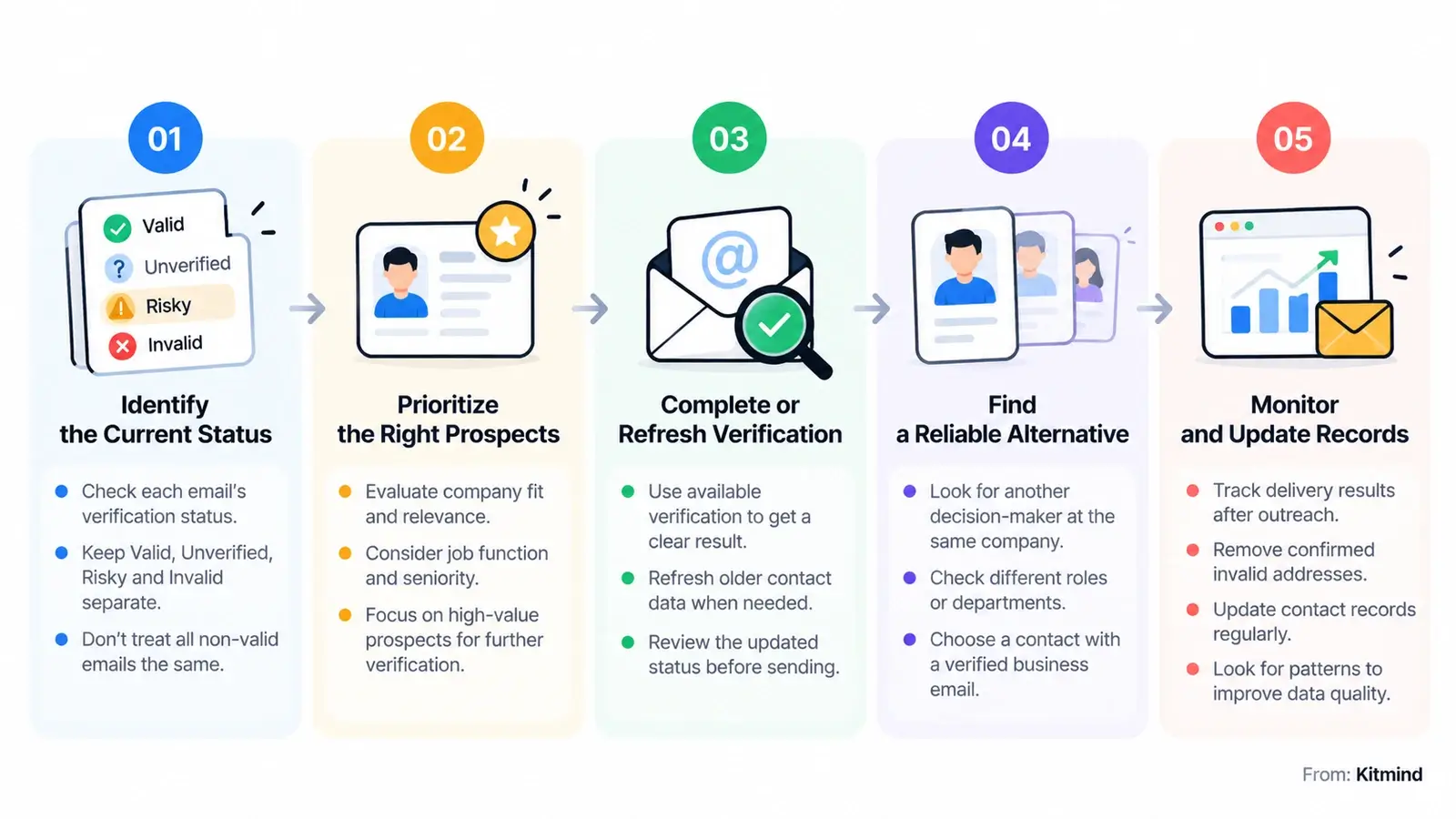
Step 1: Identify the Current Status
Start by separating contacts into Valid, Unverified, Risky, and Invalid categories.
Do not combine all non-valid addresses into one generic group.
This distinction preserves useful information and prevents potentially recoverable contacts from being discarded prematurely.
Step 2: Prioritize the Right Prospects
Evaluate the business value of each contact before spending additional time on verification.
Consider company fit, job function, seniority, geographic relevance, and whether the person is likely to influence the buying decision.
A high-priority prospect with an Unverified address may justify further investigation. A low-priority record with an unresolved Risky status may not.
Prospect relevance determines where to invest effort—not whether an unsafe address becomes acceptable to send to.
Step 3: Complete or Refresh Verification
For Unverified emails, use the available verification process and review the resulting classification.
For older records, refresh the information when appropriate rather than assuming a previous status remains accurate indefinitely.
If the result is still Risky or inconclusive, do not simply relabel the address as Valid.
Verification outcomes should reflect actual evidence.
Step 4: Find a Reliable Alternative
When an address remains risky, look for another verified business contact at the same organization.
You might find a different decision-maker, an updated professional email address, or a more appropriate contact based on the company's current structure.
This approach keeps prospecting focused on business opportunities without making a questionable address the only path forward.
Step 5: Monitor and Update Records
After outreach, monitor delivery failures and investigate recurring patterns.
Distinguish permanent failures from temporary issues, suppress confirmed invalid addresses, and update records when contacts change roles or companies.
Avoid repeatedly retrying addresses that have produced permanent failures.
Maintaining accurate contact data is an ongoing process, not a one-time verification task.
Common Mistakes to Avoid
Even experienced sales teams can make poor decisions when verification statuses are misunderstood.
Treating Unverified as Invalid
An incomplete verification result is not proof that an address cannot receive messages.
Automatically deleting every Unverified contact may remove legitimate prospects before their information can be assessed.
Keep these records separate until verification or updated contact research provides a clearer outcome.
Sending to Every Risky Address
A risky classification should not be ignored simply because the prospect is important.
Sending to every uncertain address increases unnecessary exposure to bounces and makes it difficult to maintain consistent data-quality standards.
Assuming Catch-All Means Deliverable
Catch-all behavior can make a server appear accepting without confirming a specific mailbox.
Our article on AI-powered catch-all verification explains why more advanced analysis can be valuable when conventional SMTP checks provide limited certainty.
Ignoring Verification Age
A verified result is a point-in-time assessment.
For older contact lists, reassess important addresses before launching significant outreach campaigns, especially when the organization or contact details may have changed.
Best Practices for B2B Teams
Managing uncertain email addresses becomes easier when verification is part of a broader prospecting process.
Segment contacts by status. Keep verified, unverified, risky, and invalid records distinguishable in your workflow. This prevents uncertain addresses from entering routine campaigns accidentally.
Keep contact records current. Review company information, job titles, domains, and professional email details regularly. Updated context can help identify better contacts when an existing address becomes unreliable.
Protect your sending infrastructure. Configure SPF, DKIM, and DMARC correctly, maintain responsible sending volumes, and monitor domain reputation. These practices complement verification rather than replace it.
Use bounce feedback intelligently. Investigate recurring failures instead of treating every bounce as an isolated event. Patterns can reveal outdated records, sending configuration problems, or recipient-side restrictions.
Respect recipient preferences and applicable rules. Follow relevant outreach requirements, honor opt-outs, and avoid contacting people who have indicated they do not want further messages.
The objective is a prospecting process that prioritizes both contact relevance and data reliability.
How Kitmind Supports Better Prospecting
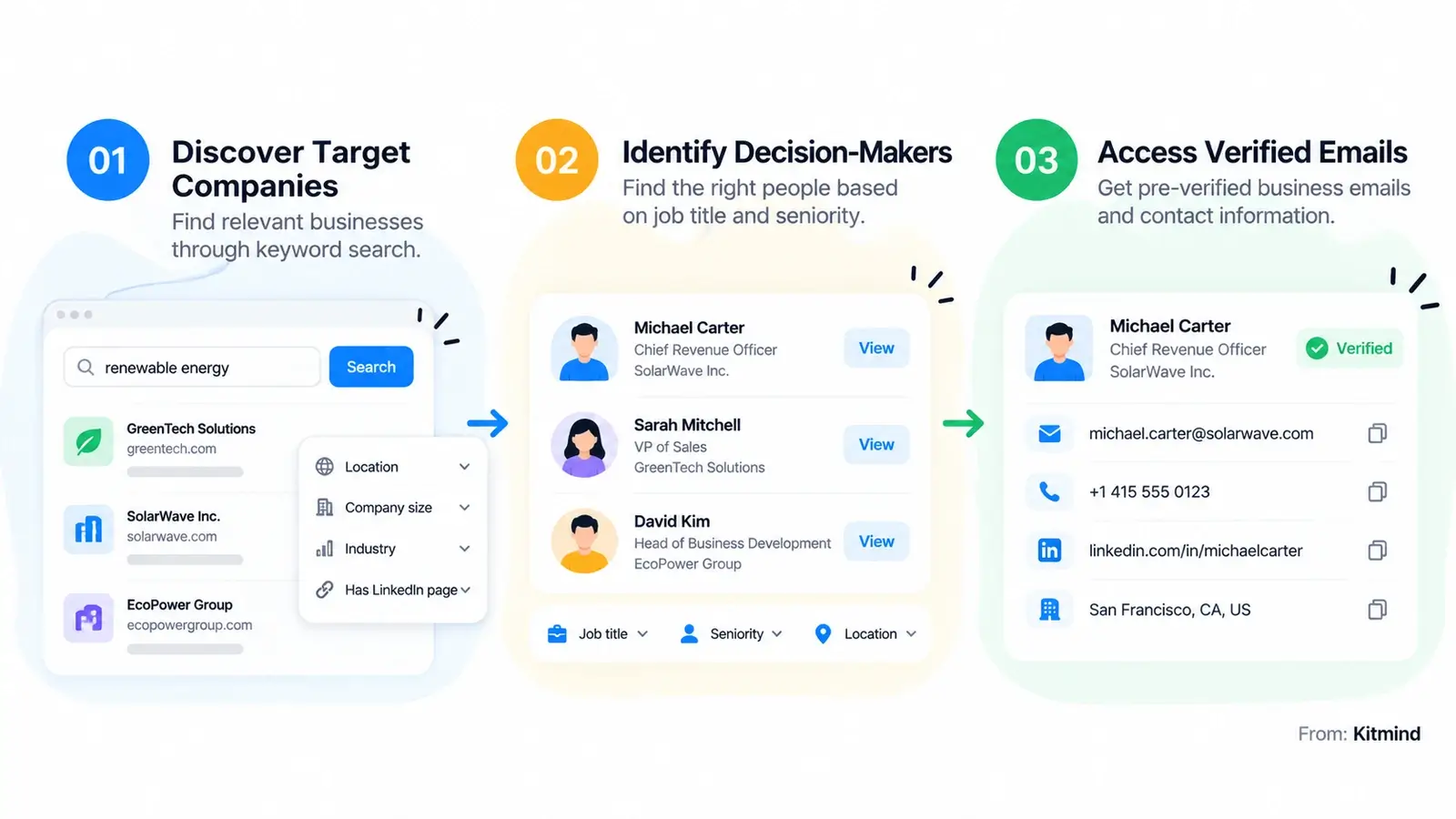
Kitmind helps B2B teams discover relevant companies, identify decision-makers, and access more accurate business contact information.
Rather than building outreach lists solely from uncertain addresses, teams can use company and contact intelligence to find better-qualified prospects.
Discover Relevant Companies
Kitmind Discover supports company-first prospecting through keyword-based discovery and company filtering.
This helps teams identify potential customers beyond the organizations they already know, including businesses that may not maintain a LinkedIn company page.
After finding relevant companies, teams can explore available contact information and identify employees who match their targeting criteria.
Public company email addresses and verified individual business emails should be treated as distinct types of contact information.
Find Decision-Makers with Prospector
Kitmind Prospector supports contact-first discovery using criteria such as job title, seniority, and location.
Teams can use the Verified email status filter to prioritize contacts with verified business email information.
When a user reveals an available business email, Kitmind provides the associated pre-verified contact data. The Reveal action should not be confused with initiating a separate email verification check.
This allows teams to focus their prospecting effort on relevant people with more dependable contact information.
Enrich Existing Contact Records
Kitmind CSV Enrichment supports workflows such as People Enrichment, Company Enrichment, and finding leads from company records.
These capabilities help teams improve the completeness and usefulness of their prospecting data.
CSV Enrichment should not be confused with a standalone service for verifying any arbitrary uploaded list of email addresses.
Connect Prospecting with Your Workflow
Kitmind also provides a Chrome Extension for supported prospecting workflows and integrations with selected CRM and marketing platforms.
These capabilities help teams move from company research and contact discovery toward organized outreach preparation.
The important principle remains the same: better contact intelligence improves prospecting decisions, but it does not guarantee email delivery or inbox placement.
Frequently Asked Questions
Is a risky email address always invalid?
No. A Risky classification indicates potential delivery problems or insufficient confidence in the address. It does not necessarily establish that the mailbox does not exist. However, risky emails are not recommended for routine sending because they may bounce.
Does unverified mean an email address is fake?
No. Unverified means a completed verification result is not yet available. The address may ultimately be classified as valid, risky, or invalid after further checks. Avoid treating it as confirmed deliverable until its status is established.
Should I delete all risky and unverified contacts?
Not necessarily. Separate uncertain contact records from active sending lists. Unverified addresses may be reassessed, while risky addresses may warrant updated research or an alternative contact. Confirmed invalid addresses should be excluded from sending.
Are catch-all business emails safe to contact?
Not automatically. Catch-all domains can accept verification requests without confirming that a specific mailbox exists. A more advanced verification result may improve confidence, but catch-all behavior alone is not sufficient evidence of deliverability.
How can I reduce email bounces in B2B outreach?
Start with accurate, current contact information and prioritize verified business emails. Maintain sender authentication, use responsible sending practices, monitor bounce results, and remove confirmed invalid addresses. No verification system can guarantee that every email will be delivered.
Conclusion
Risky and Unverified business emails require different decisions.
An Unverified address needs a completed assessment before it can be treated as dependable. A Risky address carries delivery concerns and should generally be held out of routine campaigns. An Invalid address should not be sent to.
For B2B teams, the best approach is to combine clear verification-status rules with relevant prospect research, updated contact records, and responsible sending practices.
With a consistent workflow and better business contact intelligence, sales teams can reduce avoidable email risks while continuing to identify valuable opportunities.