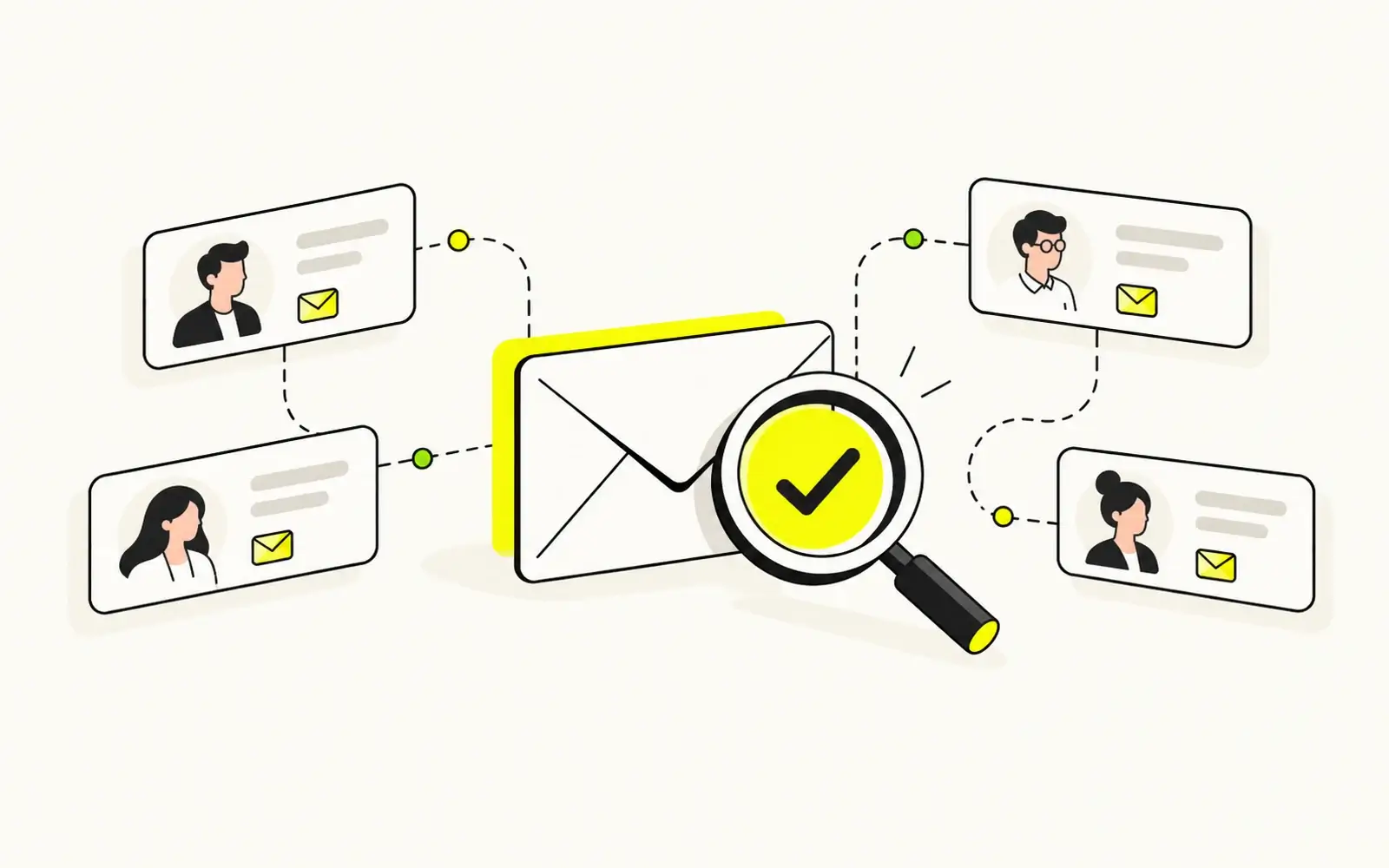

You've found the right company and the right decision-maker—but where's their business email address? Searching websites, checking LinkedIn profiles, and guessing email formats can take hours. Worse, an address that looks correct may be outdated, invalid, or impossible to verify through basic checks.
The solution is to combine smart prospect research with reliable email data. Whether you're starting with a company name, a professional's profile, or a list of target accounts, this guide shows you how to find verified business email addresses—including practical workflows using Kitmind.
Key Takeaways
Finding an email isn't the same as verifying it. An address discovered online or generated from a naming pattern may not belong to an active mailbox.
Your starting point determines the best method. Company websites, search engines, professional profiles, and B2B databases each serve different purposes.
Kitmind offers two complementary prospecting approaches. Discover helps you start with companies, while Prospector helps you search directly for professionals and decision-makers.
Verified emails make prospecting more actionable. Combining relevant contacts with verified business email data helps teams build better-targeted outreach lists.
What Is a Verified Business Email Address?
A business email address typically uses an organization's domain, such as alex@company.com, rather than a personal email provider.
Business emails generally fall into two categories:
- Individual business emails: Addresses associated with specific employees, such as
alex@company.com. - Generic business emails: Shared or department-based addresses, such as
info@company.comorsales@company.com.
For B2B prospecting, individual business emails are often more useful when you need to reach a particular decision-maker.
A verified business email address has been checked to assess its validity. Depending on the verification method, these checks may include domain configuration, mail-server responses, and additional technical or contextual signals.
However, an email address found on a website or generated from a company's email pattern has not necessarily been verified.
Finding a business email address doesn't mean it's verified.
Even a verified email address cannot guarantee future email delivery or inbox placement.
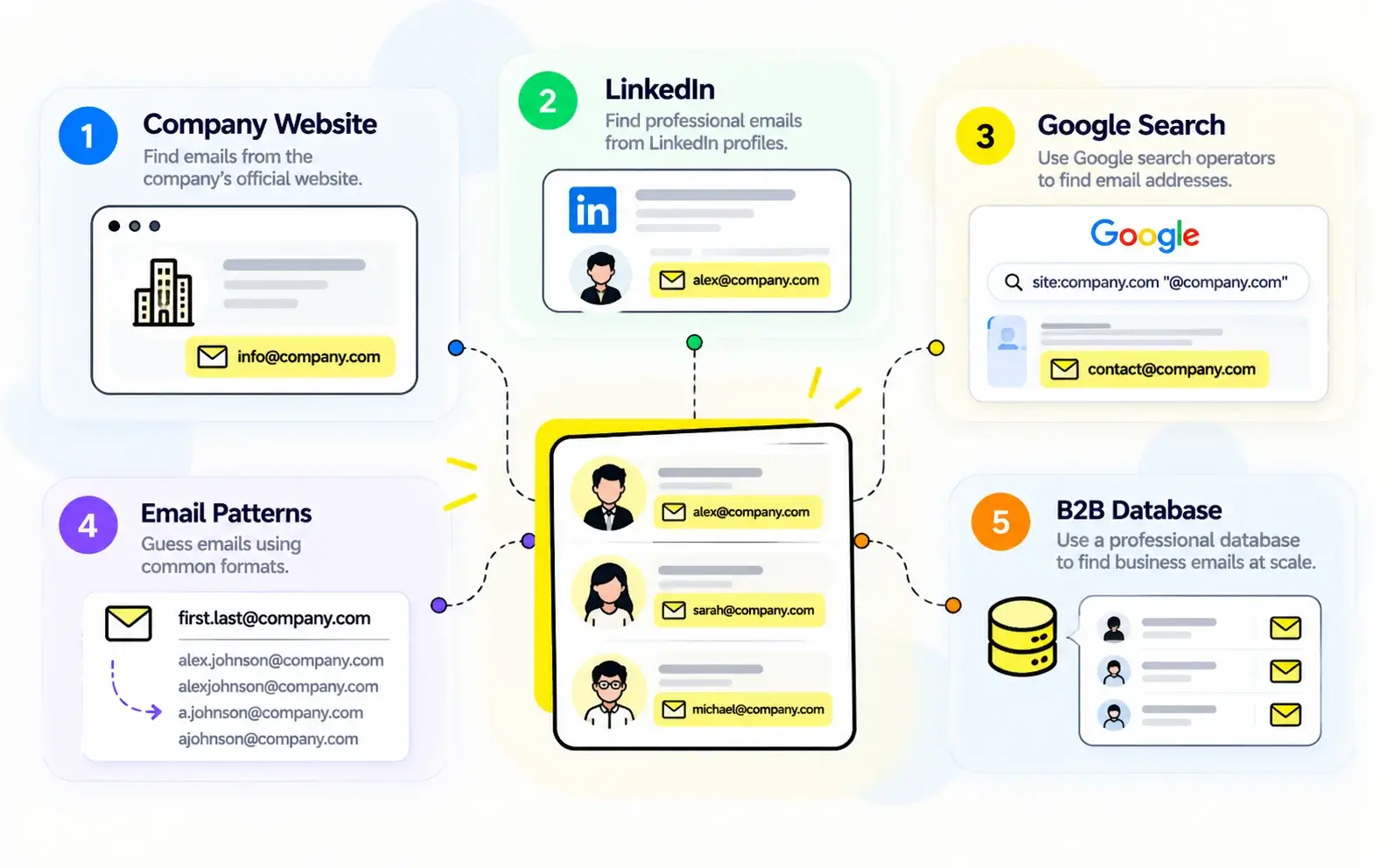
5 Ways to Find Business Email Addresses
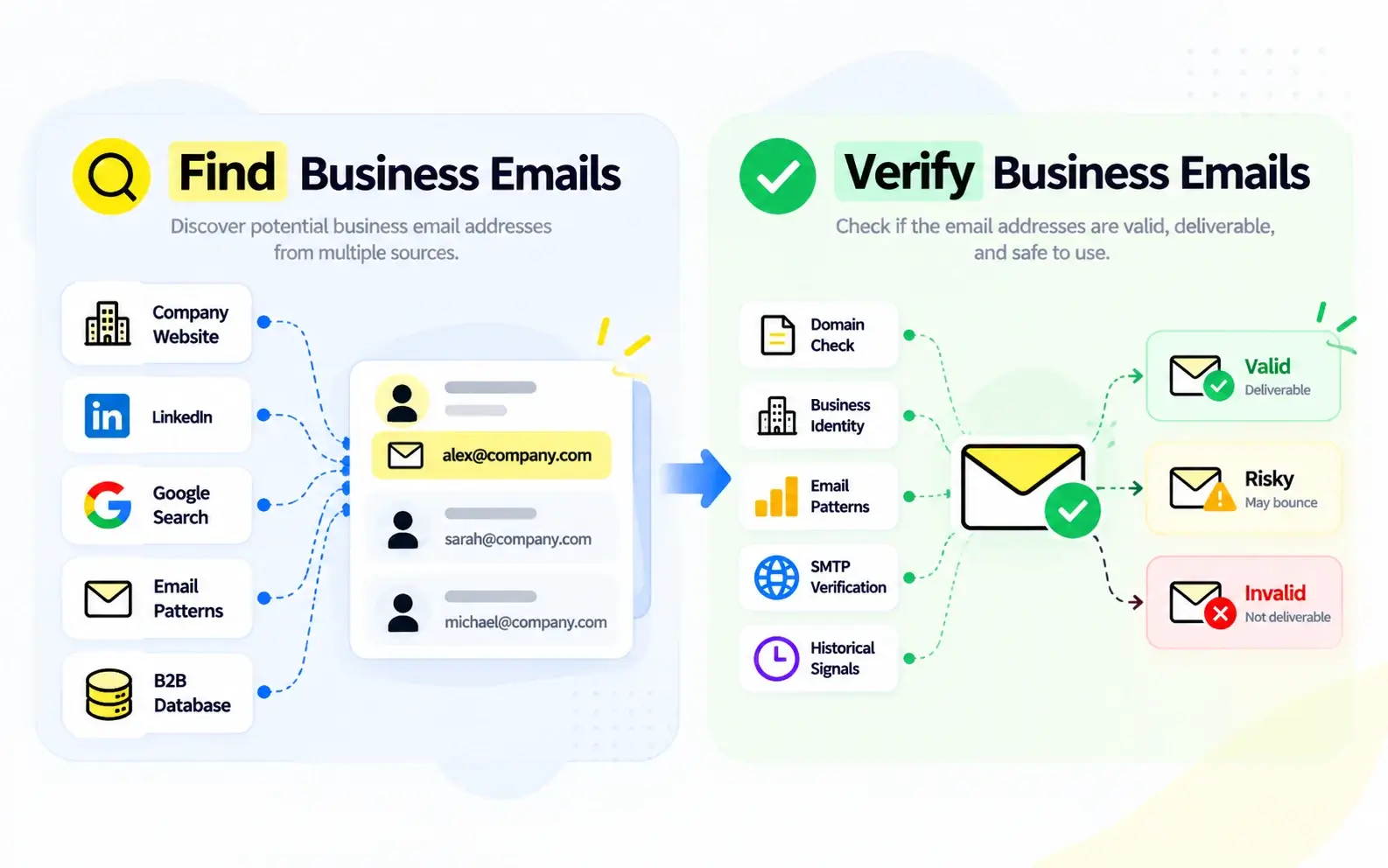
There are several ways to find business email addresses. The right approach depends on whether you know the company, the person, or only the type of prospect you're targeting.
1. Check Company Websites
Start with a company's Contact, About, Team, or Leadership pages. Some organizations publish employee email addresses, departmental contacts, or press and partnership information.
Best for: Finding publicly available business contacts at a known company.
Limitation: Many websites provide only generic inboxes or contact forms.
2. Research LinkedIn and Professional Profiles
Professional profiles can help you identify a person's name, current employer, position, and responsibilities.
This information is useful for confirming that you're targeting the right individual before looking for their business email.
Best for: Identifying decision-makers and verifying professional identities.
Limitation: Public profiles often don't display business email addresses.
3. Use Google Search
Search engines can uncover business emails published in company directories, event pages, professional biographies, or publicly accessible documents.
For example, try searching for a person's name alongside their company domain, or use a query such as:
site:company.com "email"
Best for: Finding publicly indexed contact information.
Limitation: Results can be incomplete, outdated, or difficult to verify.
4. Research Company Email Patterns
Some organizations use consistent formats, such as:
firstname.lastname@company.comfirstname@company.comfirstinitiallastname@company.comf.lastname@company.com
If you know a person's name and the company's domain, these patterns can help generate possible addresses.
Best for: Researching potential email formats when direct contact data is unavailable.
Limitation: A plausible address is still only a guess until verified.
5. Use a B2B Email Finder Platform
B2B prospecting platforms combine company and professional information with business contact data.
Instead of searching websites individually, teams can identify target companies, find relevant professionals, and access available business email addresses from a centralized platform.
Best for: Finding business contacts efficiently across multiple companies, industries, or markets.
Limitation: Database coverage, verification quality, and data freshness vary between providers.
For teams that regularly prospect across multiple accounts, platforms offering pre-verified business emails can reduce the time spent searching and checking addresses manually.
How to Find Verified Business Emails with Kitmind Discover
If you're starting with a target market, industry, or company, Kitmind Discover provides a company-first approach to B2B prospecting.
Discover helps teams identify relevant businesses, explore company information, find employees, and reveal verified business email addresses.
With access to a global database of 85M+ companies, Kitmind helps users research potential customers beyond a limited set of familiar companies or LinkedIn-listed organizations.
Here's how the workflow works.
Step 1: Find Your Target Companies
Start by defining the businesses you want to reach.
You might be looking for software companies in a particular country, manufacturers serving a specific market, or businesses matching your ideal customer profile.
Use Discover's company search and discovery capabilities to identify relevant organizations.
Step 2: Refine Your Company Search
Apply the available company filters to narrow your results.
Depending on your prospecting goals, you can focus on characteristics such as location, industry, company size, and other supported business attributes.
This helps you prioritize companies that match your target market instead of researching unrelated businesses.
Step 3: Explore Employees and Decision-Makers
Once you've identified a relevant company, explore its employees to find the people most likely to influence or make purchasing decisions.
Use available contact filters, such as job title, department, seniority, and location, to narrow the employee list.
For example, a team selling marketing software may want to identify marketing directors, growth leaders, or other relevant decision-makers.
Step 4: Reveal Verified Business Emails
Review the matching contacts and reveal available business email addresses.
Kitmind incorporates email verification into its contact data, allowing users to access pre-verified business emails without having to manually verify each revealed address.
Its AI-powered catch-all verification also helps assess business emails associated with domains that traditional SMTP-only checks may struggle to evaluate.
Step 5: Save and Organize Your Contacts
After identifying suitable contacts, save them to Leads or use supported export and CRM integration workflows.
This connects company discovery, decision-maker identification, and verified email access in one prospecting process.
When to use Discover: Choose this approach when you want to find new target companies first, then identify the right people within those organizations.
How to Find Verified Business Emails with Kitmind Prospector
What if you already know the type of professional you want to contact?
Kitmind Prospector takes a contact-first approach, helping you search for relevant professionals and decision-makers directly.
Kitmind's global B2B data includes 300M+ verified professional profiles, with approximately 95M contacts with verified business emails.
Rather than researching companies one by one, you can start with the characteristics of your ideal contact.
Step 1: Search for Relevant Professionals
Begin with a person's name, target job title, department, or other available search criteria.
For example, you might want to find Chief Revenue Officers at technology companies or HR directors working in a particular market.
Prospector helps you identify professionals who match those requirements.
Step 2: Apply Contact Filters
Refine your search using supported filters such as job title, seniority, department, location, and company characteristics.
The goal is to reduce irrelevant results and focus on professionals who match your intended audience.
Step 3: Review Professional Profiles
Before revealing an email, review the available professional information.
Check whether the person's company, role, and responsibilities align with your outreach goals.
A verified email is valuable only when it belongs to a relevant contact.
Step 4: Reveal Verified Business Emails
Select the relevant professionals and reveal their available verified business emails.
Kitmind's verification technology supports the business email data available through Prospector, including its AI-powered approach to catch-all email assessment.
This allows users to move from identifying relevant professionals to accessing verified contact information within the same workflow.
Step 5: Prepare Contacts for Outreach
Save relevant contacts to Leads, export available information, or use supported integrations to continue your prospecting workflow.
When to use Prospector: Choose this approach when your priority is finding people with specific roles, responsibilities, or professional characteristics rather than discovering companies first.
Discover and Prospector are complementary, but neither requires the other. You can choose the starting point that best fits your prospecting needs.
Other Ways to Find Business Emails with Kitmind
Discover and Prospector aren't the only ways to access business contact information through Kitmind.
Two additional tools support different prospecting scenarios.
Kitmind Chrome Extension: Find Contacts While Browsing
The Kitmind Chrome Extension brings prospecting capabilities into your browsing workflow.
When researching company websites, Google search results, or supported LinkedIn pages, you can use the extension to explore relevant business contacts and access available email information without repeatedly switching between research tools.
This is especially useful for sales professionals who discover potential customers during everyday online research.
Kitmind Data Enrichment: Complete Existing Contact Lists
Already have a spreadsheet of target companies or professionals?
Kitmind Data Enrichment helps complete existing records with available company and contact information, including business email data.
Instead of rebuilding your prospect list from scratch, you can enrich existing records and make them more useful for sales, marketing, and CRM workflows.
How to Know If a Business Email Is Verified
Finding an email address is only the first step. Before using it for outreach, you should understand whether it has actually been verified.
A business email may be:
- Publicly found: Discovered on a website or another public source, without necessarily being verified.
- Pattern-generated: Predicted using a person's name and a company's email format.
- Verified: Assessed through an email verification process to determine its validity.
Traditional verification methods may examine domain configuration and SMTP responses. More advanced systems can evaluate additional evidence, particularly for catch-all domains.
Kitmind integrates AI-powered email verification into its B2B contact data, helping users access verified business emails during prospecting.
However, even a valid email address does not guarantee future delivery or inbox placement.
For a deeper explanation, read our guide on how to verify business email addresses.
You can also learn how AI-powered catch-all verification addresses limitations of traditional SMTP checks.
Best Practices for Finding Verified Business Emails
Finding more email addresses isn't necessarily the same as building a better prospect list.
To improve contact quality and outreach readiness:
- Prioritize relevance. Focus on professionals whose responsibilities match your product, service, or business objectives.
- Prefer verified business emails. Avoid relying solely on guessed addresses or outdated public contact information.
- Check professional details. Review a contact's current company, position, and other available information before outreach.
- Maintain clean contact lists. Remove duplicates, refresh outdated records, and organize contacts for future use.
- Follow responsible outreach practices. Respect applicable privacy requirements, provide appropriate opt-out options, and maintain good sending practices.
For additional guidance, explore why email accuracy matters for cold outreach.
Frequently Asked Questions
How can I find someone's verified business email address?
Start with the person's name, employer, or professional profile. Use a B2B email finder that provides verified contact data, or verify an address discovered through public sources. Kitmind Prospector helps users search for professionals and reveal available verified business emails.
Can I find verified business email addresses for free?
Some business emails are publicly available, and certain email-finding platforms offer limited free access. However, publicly finding an address doesn't confirm its validity. Check each provider's current plan limits and verification capabilities before relying on the results.
How do I find a business email address using a company name?
Start with the company's website and publicly listed contacts. For more targeted prospecting, use Kitmind Discover to identify the company, explore relevant employees, and reveal available verified business email addresses.
Can I find business emails from LinkedIn?
LinkedIn profiles can help identify professionals, their employers, and their roles, but business emails are not always publicly displayed. Kitmind's prospecting tools and browser extension can help users find available business contact information while researching relevant professionals.
How does Kitmind help find verified business email addresses?
Kitmind combines global company and professional data with AI-powered email verification. Discover supports company-first prospecting, while Prospector supports contact-first searches. Its Chrome Extension and Data Enrichment tools provide additional ways to access or complete business contact information.
Conclusion
Finding verified business email addresses starts with knowing whom you want to reach and choosing the right research method.
Company websites, professional profiles, and search engines can help uncover potential contacts, but reliable B2B prospecting also requires accurate professional information and verified email data.
Kitmind connects company discovery, decision-maker searches, and AI-verified business emails through complementary workflows, helping teams spend less time on fragmented research and more time building relevant, actionable prospect lists.